
Intro
-
Wait, why are Documents taking up 164GB..? Why do I have less than 50GB left..?!🤦♂️ Ah.. but what am I supposed to delete..? There doesn't seem to be anything I can delete.. and I don't even know how to delete it,, this is really frustrating.. 😩
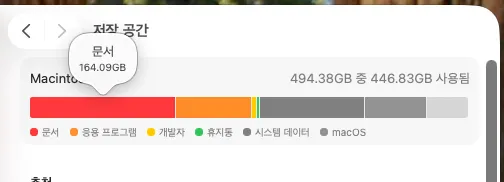
-
Have you ever experienced this..?! Then you've come to the right place. Ah, this is Mac-only, so unfortunately it's not for Windows users! Let me introduce Mole & GrandPerspective!🤗✨
1. Mole 🕵🏻♂️
-
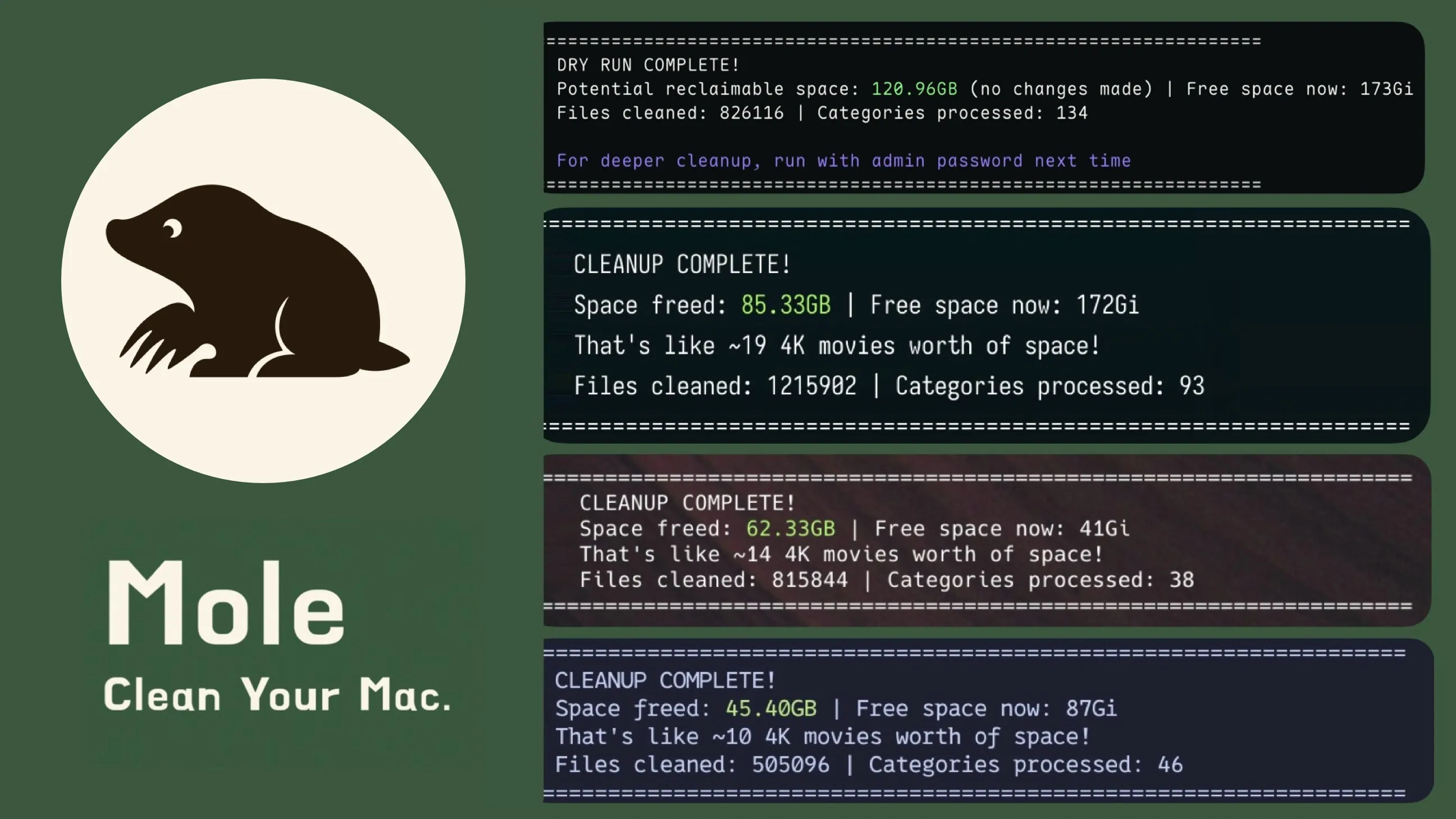
This mole automatically cleans up files hiding underground. 🧹
https://github.com/tw93/mole
-
App Cache, npm cache, pnpm cache, uv cache, and more. It neatly and efficiently clears out caches that you don't actually need. 😎 I found that the single
mole cleancommand takes care of most of the cleanup.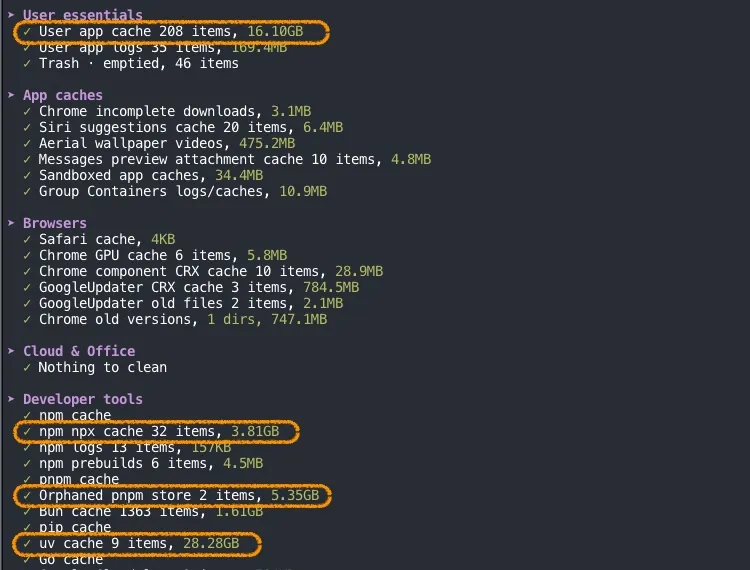
-
I was genuinely amazed when my remaining storage increased from 44GB to 121GB hahaha
2. GrandPerspective
-
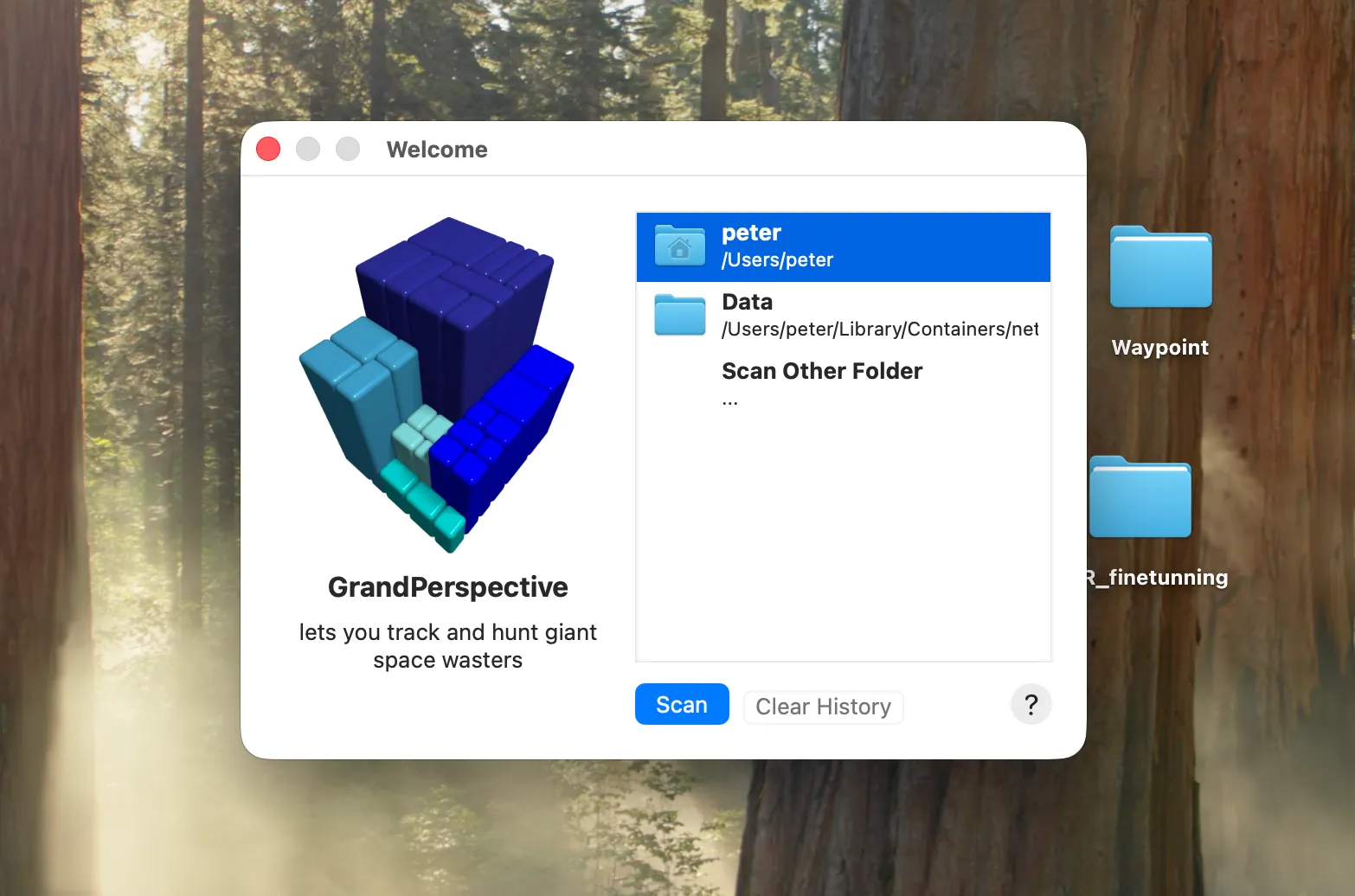
Mole is impressive too, but since it is Rule Based, there are cases where it cannot decide on its own that something is safe to delete. That's when you need
GrandPerspective! -
https://grandperspectiv.sourceforge.net/
-
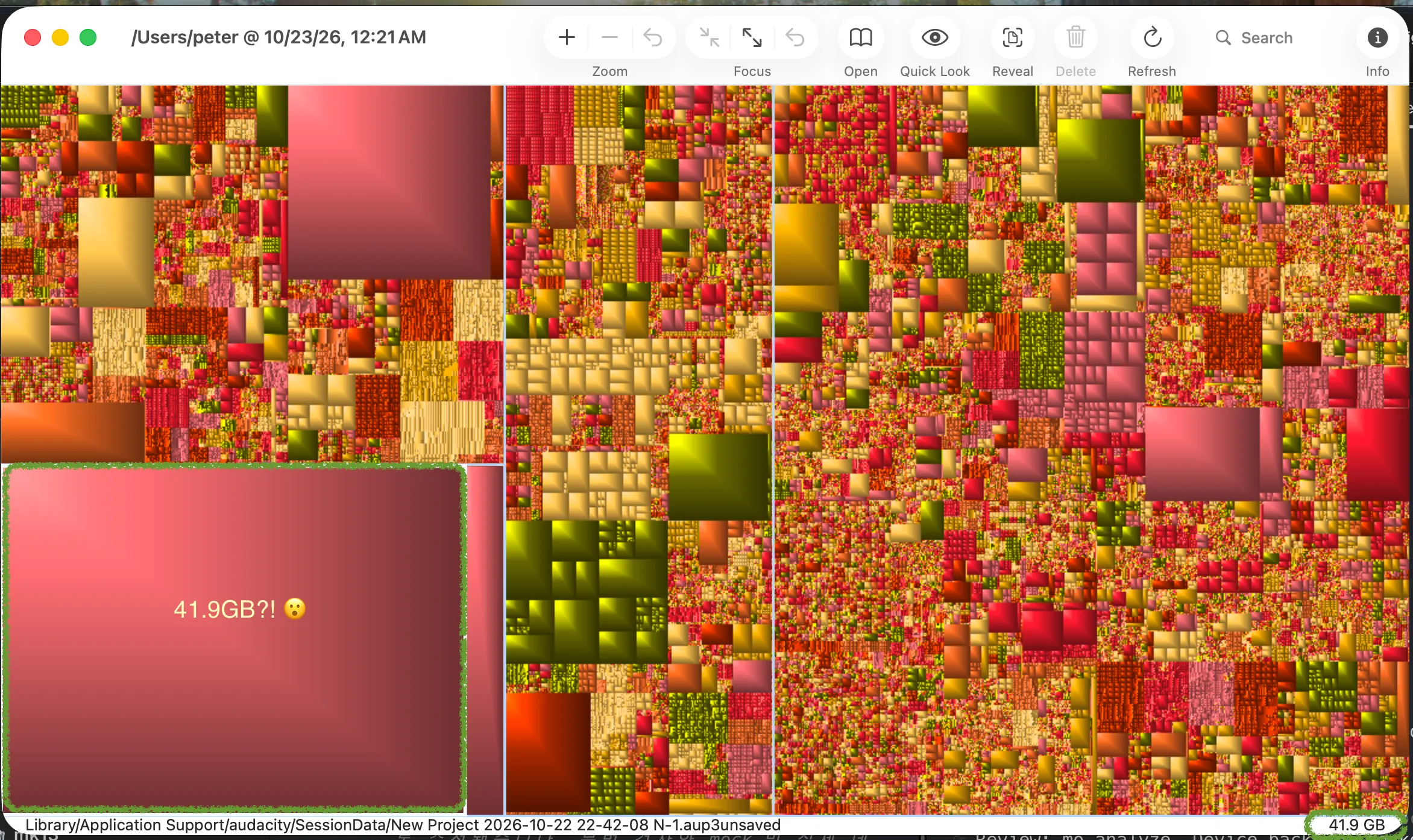
When you run it, it shows the size and location of each file, as shown below! You can immediately open its location in Finder and delete it! 😉
-
Below is the moment I caught(?) a ridiculous 41.9GB of Session Data accumulated by an audio editor called audacity. It was so absurd that I couldn't help but take a screenshot. Things like this are definitely difficult for Mole to catch.
-
Time really flies when you click through these one by one, wondering, 'What's this?'.. haha
Wrap-up 🍳
- I want to buy a Mac Studio with an SSD larger than 1T too!! 🥲🥲🥲

0 comments
Please login to leave a comment.